FIELD NOTES / 03 · INBOX TRIAGE
Sift: AI Email Triage with Jev
Find the meaning in the mess.
“Who actually wants a refund?” Turn a crowded inbox into a short list worth your attention.
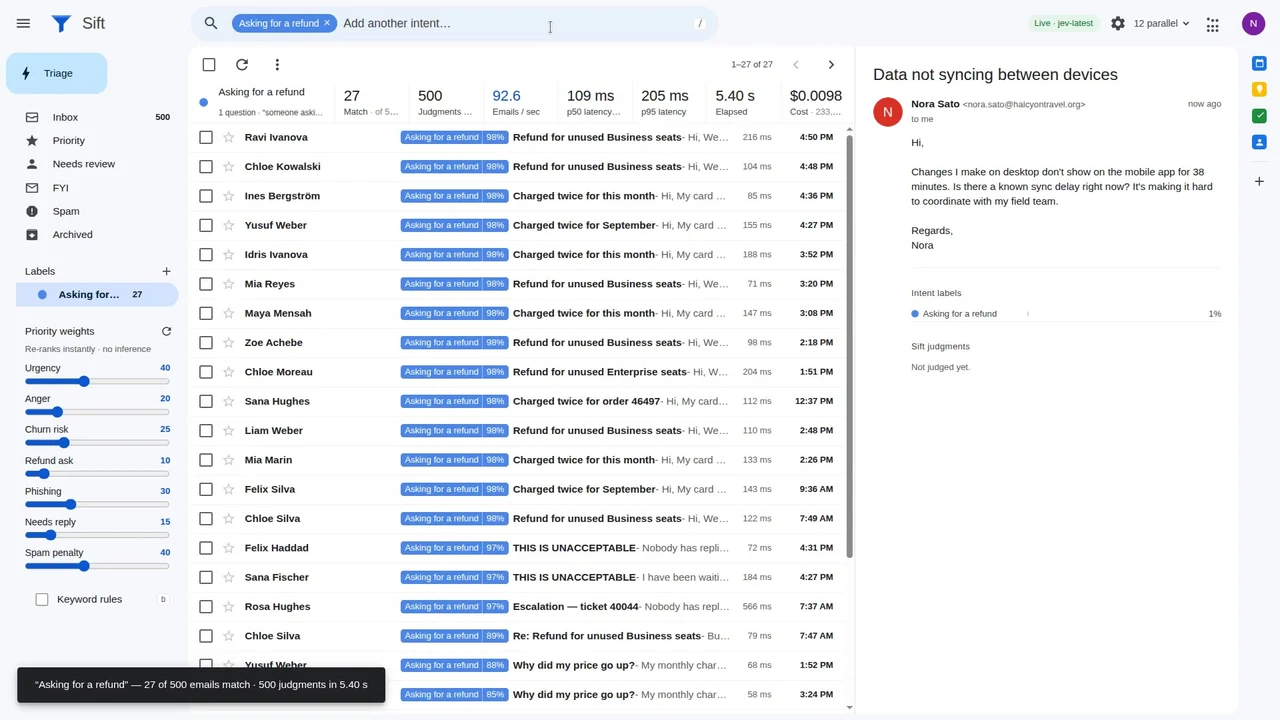
Search for intent, not just a word
An email can ask for money back without saying “refund.” It can also mention a refund without requesting one. Sift explores that gap: describe the messages you mean, and Jev evaluates whether each message matches the intent.
Nader Dabit’s demonstration uses 500 synthetic emails. Labels can be combined to narrow the inbox; a separate triage pass evaluates messages along multiple dimensions, with application code turning those judgments into a priority queue.
What to watch in the demo
- Start with one intent, such as finding a request for a refund.
- Inspect the actual messages behind the matches, especially ambiguous wording.
- Compare the keyword baseline and model judgments instead of assuming either is always correct.
A useful next experiment
Try a small, labeled evaluation set for your own inbox workflow before connecting real mail. Include negation, quoted history and borderline requests. Review false positives as carefully as missed messages: both affect which customers get attention.
Know what you are seeing
This is an author-provided project animation, not a connected Gmail account on JevFlow. The original repository documents live and replay modes. JevFlow neither reads your inbox nor sends replies; Try leads to the early-access form preview.
SEE IT IN ACTION
Sift, in motion.
Original demo media by Nader Dabit. Open media ↗

Media not loading? View it in the original project ↗